I’m including a link to a Smart Home Junkie YouTube video which does a good job of explaining how to add a card reader to Home Assistant..
Ok, so the above, Smart Home Junkie has grabbed someone else’s work as we all do at some point, made modifications and created a video on a DIY NFC reader… Which brings me to an important point: How come he has an NFC tag sticking out of his mouth? I didn’t get a free tag with my NFC reader.
As of today, I’ve fixed some issues and added new stuff.
So, basically I bought a USB-C Wemos D1 card from AliExpress (several in fact as they are great for WLED) – so no messing about with boot buttons when programming the board with ESP-HOME (in my case on my dedicated Home Assistant mini-PC). I also bought the red card reader board (below) from AliExpress for next to nothing (2.84 euros) and some Wemos D1 Minis (1.69 Euros each) – and I’m sure I got cheated out of that NFC tag:-)
So what started this all off? I have a SwitchBot NFC card which came with my Switchbot Lock Ultra which I’ve reviewed elsewhere in here. As someone who knows (knew) absolutely zilch about NFC cards, I thought I’d give that card a shot. Then I realised, of course, that if I wanted to try an NFC card, I could use any of my debit cards or anything like that.
But then I read that you have to have a writable NFC card for use with a phone (my Samsung S24 Ultra and the Home Assistant companion app), which I assumed the SwitchBot One was. Unfortunately, it isn’t writeable so no Home Assistant operation. So, having got my little card reader running, I was all geared up to try the phone – “Right, I’ll use my phone instead of using the board. I’ll just simply have Home Assistant companion app pick up the card and do something with it.” when I realised that wasn’t going to happen.
The Home Assistant Companion app does assume you have a writable card that has some kind of Home Assistant tag code in it (See the Home Assistant site). So that’s one idea up the Swanny, but rather than sulk I decided to make a proper project of this Wemos D1-based reader.
Now that I understand more about NFC cards, there are some neat writeable waterproof cards on AliExpress for next to nothing and it occurs to me that I might get a small pack of writeable card so that my phone as well as this reader can scan the card and pass that back to the Home Assistant Companion app for, for example, opening a gate as I get home, opening the front door and so on using a small round tag at each point.
I could of course simply open up the Home Assistant App and start pressing buttons but it seems that this might be a better choice for now. I don’t really expect to get much from China between now and Christmas.
Both my wife’s phone and mine would respond to suitable set-up writeable tag(s). But… let me barge in and explain my latest unproven idea for my now-completed NNFC tag reader… mount the card reader near the door and have HA set to disable an alarm if the right card(s) have been read in the last minute.. otherwise any movementin the hallway would trigger the alarm – and what about a freezing cold card reader outside? Well, a temperature sensor and a tiny resistive heater triggered by a port pin output (transistor or Mosfet driver) would sort that. Hence the BME280 – read on.
So the original card reader is explained in the Smart Home Junkie video above for anyone wanting to give it a shot.. simply a matter of fastening the Wemos and tag reader cards together and adding a buzzer and WS2812 LED… but I belive my update is now a lot better. Below I’m including the exact code I put into ESP-HOME after several modifications including adding the BME280 block and fixing a missing power-up beep issue – that now works, beeping not on power up but when first connecting to the network – I added the web server component (2 lines) so I can play and learn.
I wasted a lot of time thinking I was pushing the ESP8266 too far because when I put the code in for the BME280, the NFC sensor started failing. But I hadn’t actually wired in the BME280. I later found out (important) that if you put the code in for an I2c device like the BME280 alongside another i2c device like the NFC tag card and don’t actually attach a BME280, you can get lockups occurring in the software which runs the NFC tag reader on the same I2C interface.
Ok, so a couple of things – I thought the tag read light could be a little longer – and the beep on power up was not reliable/working in the original code, so with help from my friend Gemini (and several hours of mistakes on behalf of the latter) here’s my version which instead makes a much longer beep when the device first connects to Home Assistant after a power outage or on first network connect (important – no use the thing beeping and not actually relaying the tag info to Home Assistant or whatever) – and I also added a slightly elongated light flash on NFC card-read.The code below also has the BME280 block in.
This is all well within the capability of an ESP8266 like the Wemos D1 Mini.
esphome:
  name: tag-reader
  friendly_name: tag-reader

esp8266:
  board: d1_mini

# Enable logging
logger:

# --- NEW SCRIPT FOR STARTUP SOUND ---
script:
  - id: play_startup_sound
    then:
      - delay: 5s
      - logger.log: "Executing startup script..."
      - if:
          condition:
            switch.is_on: buzzer_enabled
          then:
            # This is the longer, more obvious startup tune
            - rtttl.play: "startup:d=8,o=5,b=240:c,g,b,c,g,b,c,g,b"


wifi:
  ssid: !secret wifi_ssid
  password: !secret wifi_password

  # Enable fallback hotspot (captive portal) in case wifi connection fails
  ap:
    ssid: "Tag-Reader Fallback Hotspot"
    password: "PNnTBtvLc5TG"

captive_portal:

globals:
  - id: startup_sound_played
    type: bool
    restore_value: no
    initial_value: 'false'
  - id: source
    type: std::string
  - id: url
    type: std::string
  - id: info
    type: std::string

web_server:
  port: 80

sensor:
  - platform: bme280_i2c
    temperature:
     name: "BME280 Temperature"
     accuracy_decimals: 0
    pressure:
     name: "BME280 Pressure"
     accuracy_decimals: 0
    humidity:
      name: "BME280 Humidity"
      accuracy_decimals: 0

improv_serial:

substitutions:
  name: tagreader
  friendly_name: TagReader
  name_add_mac_suffix: true
  project:
    name: adonno.tag_reader
    version: "1.4"

# Define switches to control LED and buzzer from HA
switch:
- platform: template
  name: "${friendly_name} Buzzer Enabled"
  id: buzzer_enabled
  icon: mdi:volume-high
  optimistic: true
  restore_mode: RESTORE_DEFAULT_ON
  entity_category: config
- platform: template
  name: "${friendly_name} LED enabled"
  id: led_enabled
  icon: mdi:alarm-light-outline
  optimistic: true
  restore_mode: RESTORE_DEFAULT_ON
  entity_category: config

# Define buttons for writing tags via HA
button:
  - platform: template
    name: Write Tag Random
    id: write_tag_random
    icon: "mdi:pencil-box"
    on_press:
      then:
      - light.turn_on:
          id: activity_led
          brightness: 100%
          red: 100%
          green: 0%
          blue: 100%
      - lambda: |-
          static const char alphanum[] = "0123456789abcdef";
          std::string uri = "https://www.home-assistant.io/tag/";
          for (int i = 0; i < 8; i++)
            uri += alphanum[random_uint32() % (sizeof(alphanum) - 1)];
          uri += "-";
          for (int j = 0; j < 3; j++) {
            for (int i = 0; i < 4; i++)
              uri += alphanum[random_uint32() % (sizeof(alphanum) - 1)];
            uri += "-";
          }
          for (int i = 0; i < 12; i++)
            uri += alphanum[random_uint32() % (sizeof(alphanum) - 1)];
          auto message = new nfc::NdefMessage();
          message->add_uri_record(uri);
          ESP_LOGD("tagreader", "Writing payload: %s", uri.c_str());
          id(pn532_board).write_mode(message);
      - rtttl.play: "write:d=24,o=5,b=100:b"
      - wait_until:
          not:
            pn532.is_writing:
      - light.turn_off:
          id: activity_led
      - rtttl.play: "write:d=24,o=5,b=100:b,b"
  - platform: template
    name: Clean Tag
    id: clean_tag
    icon: "mdi:nfc-variant-off"
    on_press:
      then:
      - light.turn_on:
          id: activity_led
          brightness: 100%
          red: 100%
          green: 64.7%
          blue: 0%
      - lambda: 'id(pn532_board).clean_mode();'
      - rtttl.play: "write:d=24,o=5,b=100:b"
      - wait_until:
          not:
            pn532.is_writing:
      - light.turn_off:
          id: activity_led
      - rtttl.play: "write:d=24,o=5,b=100:b,b"
  - platform: template
    name: Cancel writing
    id: cancel_writing
    icon: "mdi:pencil-off"
    on_press:
      then:
      - lambda: 'id(pn532_board).read_mode();'
      - light.turn_off:
          id: activity_led
      - rtttl.play: "write:d=24,o=5,b=100:b,b"

  - platform: restart
    name: "${friendly_name} Restart"
    entity_category: config

# --- MODIFIED API BLOCK with on_client_connected ---
api:
  services:
  - service: rfidreader_tag_ok
    then:
    - rtttl.play: "beep:d=16,o=5,b=100:b"

  - service: rfidreader_tag_ko
    then:
    - rtttl.play: "beep:d=8,o=5,b=100:b"

  - service: play_rtttl
    variables:
      song_str: string
    then:
    - rtttl.play: !lambda 'return song_str;'

  - service: write_tag_id
    variables:
      tag_id: string
    then:
    - light.turn_on:
        id: activity_led
        brightness: 100%
        red: 100%
        green: 0%
        blue: 0%
    - lambda: |-
        auto message = new nfc::NdefMessage();
        std::string uri = "https://www.home-assistant.io/tag/";
        uri += tag_id;
        message->add_uri_record(uri);
        id(pn532_board).write_mode(message);
    - rtttl.play: "write:d=24,o=5,b=100:b"
    - wait_until:
        not:
          pn532.is_writing:
    - light.turn_off:
        id: activity_led
    - rtttl.play: "write:d=24,o=5,b=100:b,b"

  - service: write_music_tag
    variables:
      music_url: string
      music_info: string
    then:
    - light.turn_on:
        id: activity_led
        brightness: 100%
        red: 100%
        green: 0%
        blue: 0%
    - lambda: |-
        auto message = new nfc::NdefMessage();
        std::string uri = "";
        std::string text = "";
        uri += music_url;
        text += music_info;
        if ( music_url != "" ) {
          message->add_uri_record(uri);
        }
        if ( music_info != "" ) {
          message->add_text_record(text);
        }
        id(pn532_board).write_mode(message);
    - rtttl.play: "write:d=24,o=5,b=100:b"
    - wait_until:
        not:
          pn532.is_writing:
    - light.turn_off:
        id: activity_led
    - rtttl.play: "write:d=24,o=5,b=100:b,b"

  on_client_connected: # Corrected trigger name
   - if:
      condition:
        # Only run if the startup sound has NOT been played yet this boot
        lambda: 'return !id(startup_sound_played);'
      then:
        - logger.log: "API is now connected for the first time, executing startup script."
        # Set the flag to true so this doesn't run again until the next reboot
        - lambda: 'id(startup_sound_played) = true;'
        - script.execute: play_startup_sound

# Enable OTA upgrade
ota:
  platform: esphome

i2c:
  scan: False
  frequency: 400kHz

pn532_i2c:
  id: pn532_board
  on_tag:
    then:
    - if:
        condition:
          switch.is_on: led_enabled
        then:
        - light.turn_on:
            id: activity_led
            brightness: 100%
            red: 0%
            green: 100%
            blue: 0%
            # --- LONGER LED FLASH ON TAG SCAN ---
            flash_length: 1000ms

    - delay: 0.15s # to fix slow component

    - lambda: |-
        id(source)="";
        id(url)="";
        id(info)="";
        if (tag.has_ndef_message()) {
          auto message = tag.get_ndef_message();
          auto records = message->get_records();
          for (auto &record : records) {
            std::string payload = record->get_payload();
            std::string type = record->get_type();
            size_t hass = payload.find("https://www.home-assistant.io/tag/");
            size_t applemusic = payload.find("https://music.apple.com");
            size_t spotify = payload.find("https://open.spotify.com");
            size_t sonos = payload.find("sonos-2://");

            if (type == "U" and hass != std::string::npos ) {
              ESP_LOGD("tagreader", "Found Home Assistant tag NDEF");
              id(source)="hass";
              id(url)=payload;
              id(info)=payload.substr(hass + 34);
            }
            else if (type == "U" and applemusic != std::string::npos ) {
              ESP_LOGD("tagreader", "Found Apple Music tag NDEF");
              id(source)="amusic";
              id(url)=payload;
            }
            else if (type == "U" and spotify != std::string::npos ) {
              ESP_LOGD("tagreader", "Found Spotify tag NDEF");
              id(source)="spotify";
              id(url)=payload;
            }
            else if (type == "U" and sonos != std::string::npos ) {
              ESP_LOGD("tagreader", "Found Sonos app tag NDEF");
              id(source)="sonos";
              id(url)=payload;
            }
            else if (type == "T" ) {
              ESP_LOGD("tagreader", "Found music info tag NDEF");
              id(info)=payload;
            }
            else if ( id(source)=="" ) {
              id(source)="uid";
            }
          }
        }
        else {
          id(source)="uid";
        }

    - if:
        condition:
          lambda: 'return ( id(source)=="uid" );'
        then:
          - homeassistant.tag_scanned: !lambda |-
              ESP_LOGD("tagreader", "No HA NDEF, using UID");
              return x;
        else:
        - if:
            condition:
              lambda: 'return ( id(source)=="hass" );'
            then:
            - homeassistant.tag_scanned: !lambda 'return id(info);'
            else:
            - homeassistant.event:
                event: esphome.music_tag
                data:
                  reader: !lambda |-
                    return App.get_name().c_str();
                  source: !lambda |-
                    return id(source);
                  url: !lambda |-
                    return id(url);
                  info: !lambda |-
                    return id(info);

    - if:
        condition:
          switch.is_on: buzzer_enabled
        then:
        - rtttl.play: "success:d=24,o=5,b=100:c,g,b"
  on_tag_removed:
    then:
    - homeassistant.event:
        event: esphome.tag_removed
# Define the buzzer output
output:
- platform: esp8266_pwm
  pin: D7
  id: buzzer

binary_sensor:
  - platform: status
    name: "${friendly_name} Status"
    entity_category: diagnostic

text_sensor:
  - platform: version
    hide_timestamp: true
    name: "${friendly_name} ESPHome Version"
    entity_category: diagnostic
  - platform: wifi_info
    ip_address:
      name: "${friendly_name} IP Address"
      icon: mdi:wifi
      entity_category: diagnostic
    ssid:
      name: "${friendly_name} Connected SSID"
      icon: mdi:wifi-strength-2
      entity_category: diagnostic

# Define buzzer as output for RTTTL
rtttl:
  output: buzzer

# Configure LED
light:
- platform: neopixelbus
  variant: WS2812
  pin: D8
  num_leds: 1
  flash_transition_length: 500ms
  type: GRB
  id: activity_led
  name: "${friendly_name} LED"
  restore_mode: ALWAYS_OFF
All tested and working reliably. Most of the code is from the original article – see below as I start to emove or modify logs to make the output clearer… but leave the logs as is while you test the board..
I also put together an ESP32-S3 version for the sake of it but of course – different pins – and it has the advantage of a built-in RGB LED. But I’m more than happy with the Wemos D1.
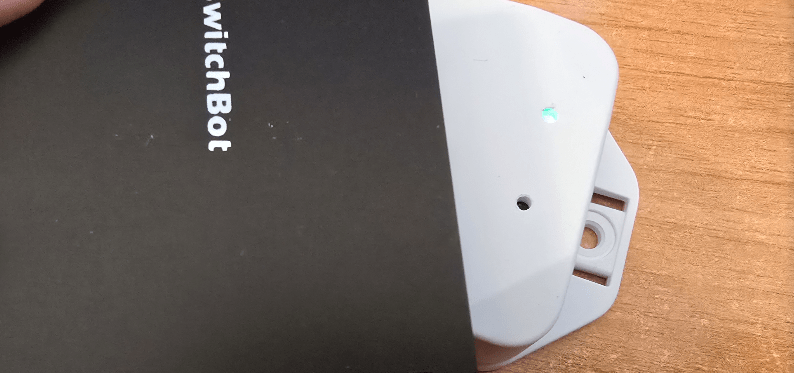
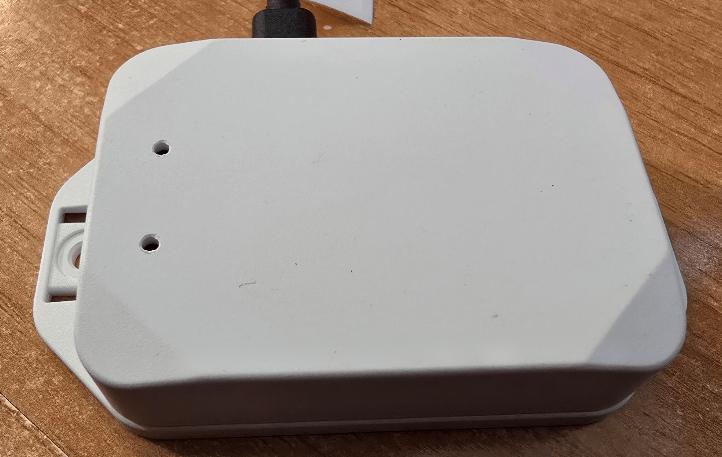
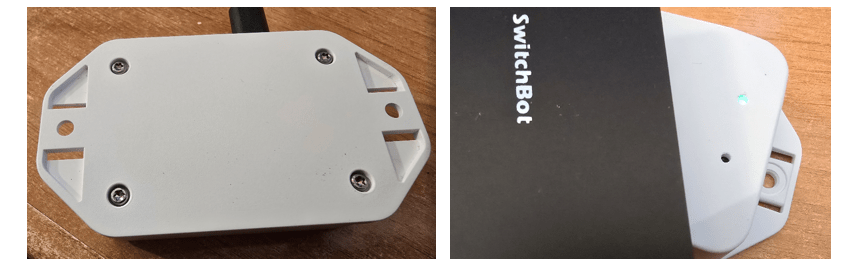
A while ago when I was on a break in the UK, a company I knew for years (before moving to Spain) called OKW sent me some small sample project boxes and I never thought I’d get the chance to thank them as for small quantities, their prices would might be that clever compared to cheap Chinese boxes – but I must say this box of theirs turns out to be a quality winner.
So thank you Robert Osborne – OKW – hope he’s looking in – far better than others I’ve seen – solid and waterproof while remaining a good size. I just glued everything in place – and that’s it – one external HFC reader. The green flashing light in the bottom right image is actually very bright. The other hole is for the piezo buzzer to let some sound out.
And now…. thanks to Amazon speedy deliveries – I have some WRITEABLE tags…. and that opens up a whole new ball game – the log messages from the original code I’m using are not at ALL helpful and having the new BME280 logs coming up in the middle constantly is a pain – new learning – how to stop some log output while retaining others…
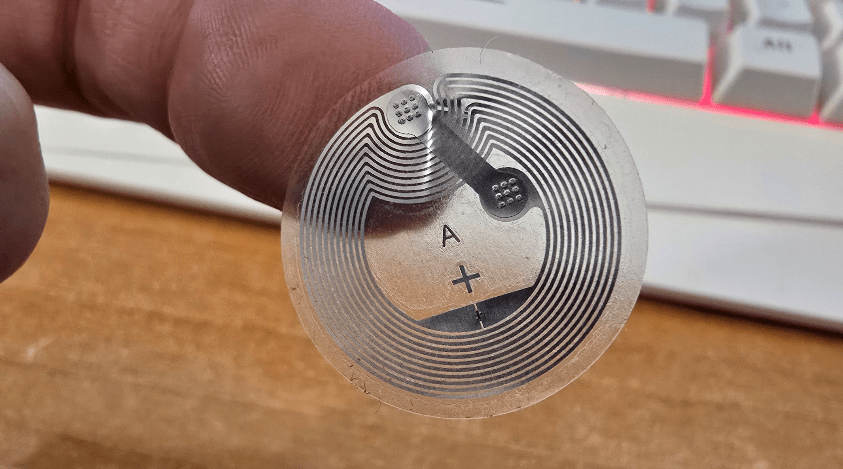
I bought a pack of 30 of these tags from Amazon for 10 Euros. I put one up to my newly-boxed reader – sure enough – standard Mifare type tags but I can WRITE to these. But this needs to be a lot clearer how to do in the log output. I can of course write using my phone but where’s the fun in that…
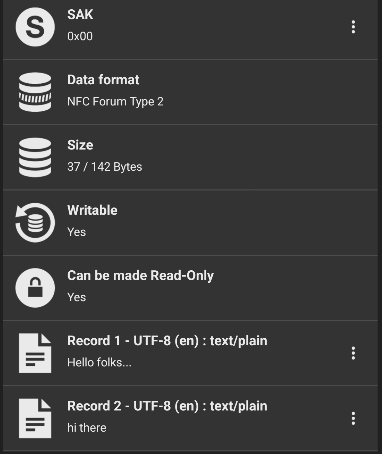
Lots of learning here… so in the screen left – partial info showing up in NFC tools on my phone after doing a random write using the new tag reader… see the last entry – that’s info I typed into NFC tools and the tag reader just wrote to my cheap tag. See the two records on the left?
So, back to Home Assistant companion APP – read… nothing.. because there is no home assistant prefix… so the phone tag reader can read the tag – but HA can’t…
BUT… if instead, I let the tag reader do the writing… I had it put in a random record…. I didn’t realise at first but it added the “https://home-assistant.io/tag/” followed by record info. When using BFC tools, the https:// part is hideden which cost me an hour to pick up on… and here id a tag with a random record in it – in the HA Companion app – see snippet below… so even if I end up using the phones to read tags – this has been such a valuable learning run… and I’m going to change the log messages in the code to get rid of the BME logs and make those responses more useful.
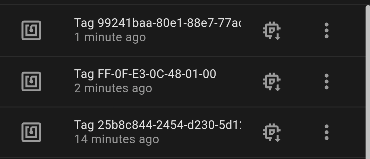
Bear with me…it LOOKS like all you need to do is write something – anything prefixed by https://home-assistant.io/tag/ to make the tag HA companion app compatible.. If I simply write https://home-assistant.io/tag/MAGIC, HA app can’t read it.
Well, I tried to figure out the format – then it dawned on me to use Home Assistant’s built in tag writing ability to generate a tag. Nothing- but the tag reader can generate a compatible tag record NO PROBLEM. That’ll do.
Ah the lights are coming on – if I use the tag reader to read a tag that has not been formatted properly, then Home Assistant will read that. But if I try to use my phone (HA Companion) to read the tag, nothing happens. It has to have that “https://home assistant…” record in it.
This will all become clearer as I remove distracting log info. It’s better already simply making the logger section as follows:
 # Enable logging
│logger:
│ level: DEBUG
│ logs:
│    bme280_i2c: NONE
│    sensor: NONE
│    pn532_ic: NONE
│    pn532.mifare_ultralight: NONE
│    component: NONE
│    safe_mode: NONE
Not a lot of point in having log info about which you can do nothing – simply getting in the way…
And the point of having all those spare tags? Well, I lost one already. A pack now seems like it was a good idea.
At this point I’m pretty happy with the log output – and the operation of the tag reader – and of course – now, reading tags on the phone and having the HA companion app pick up on them. Best of both worlds.
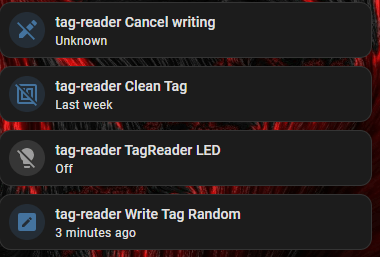
I forgot to explain – to write a random value to a tag – hence changing it’s effective its ID, press “write tag random” – the purple light will come on – THEN present a tag to the reader – the light will go off – remove the tag – you now have a tag with a new ID. pressing “tag-reader clean tag will bring up an orange light – same procedure – restores original ID to tag.